$ available --platform iPhone

Monitor Claude Code
from your iPhone.

Real-time monitoring over local WiFi. No cloud, no accounts, no compromise.
terminal — bash
user@mac:~$ curl -fsSL https://claudewatch-web.vercel.app/install.sh | bash
Downloading ClaudeWatch server...
Installing dependencies...
Starting server on port 7432
Run ~/Library/ClaudeWatch/claudewatch link to pair
user@mac:~$
claude
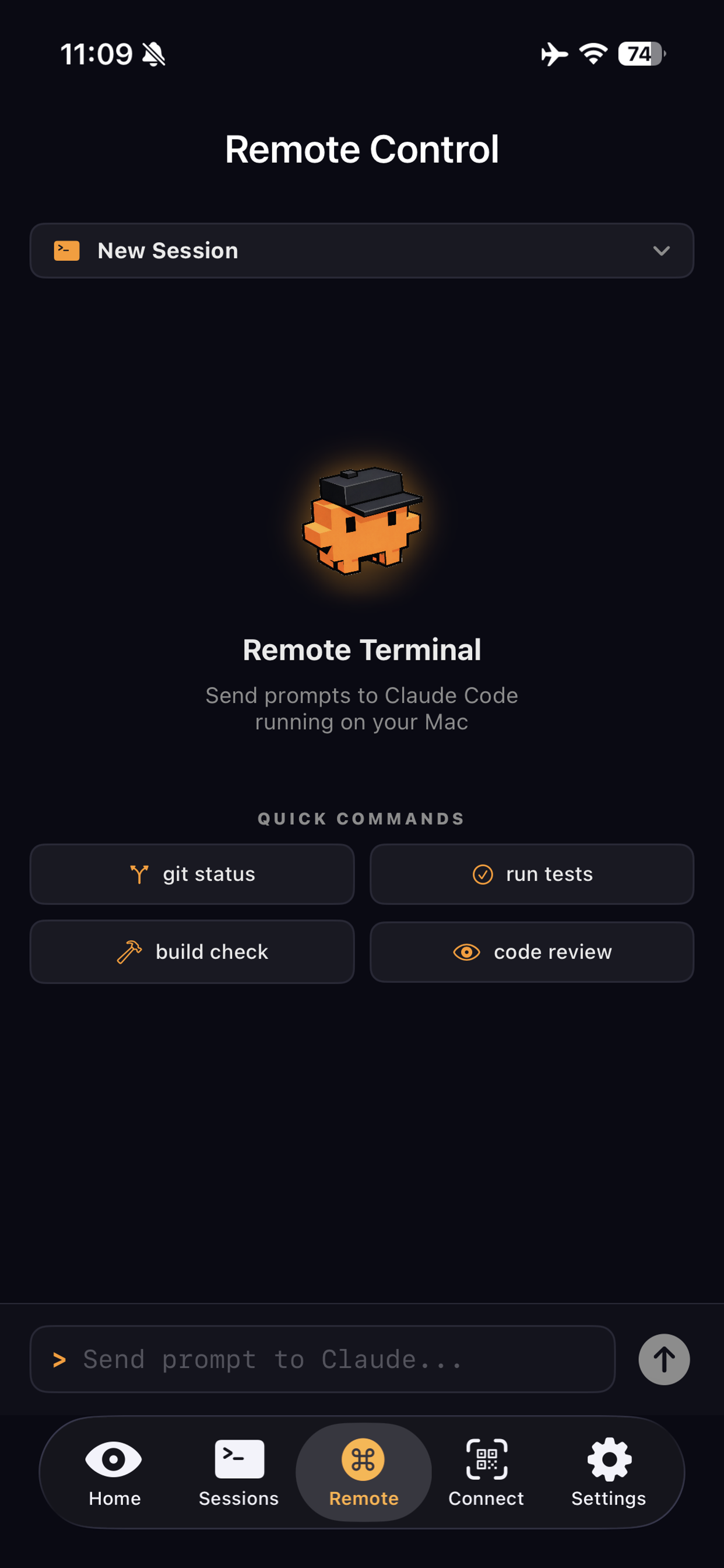
ClaudeWatch Remote Control
LIVE
claudewatch-web
claude
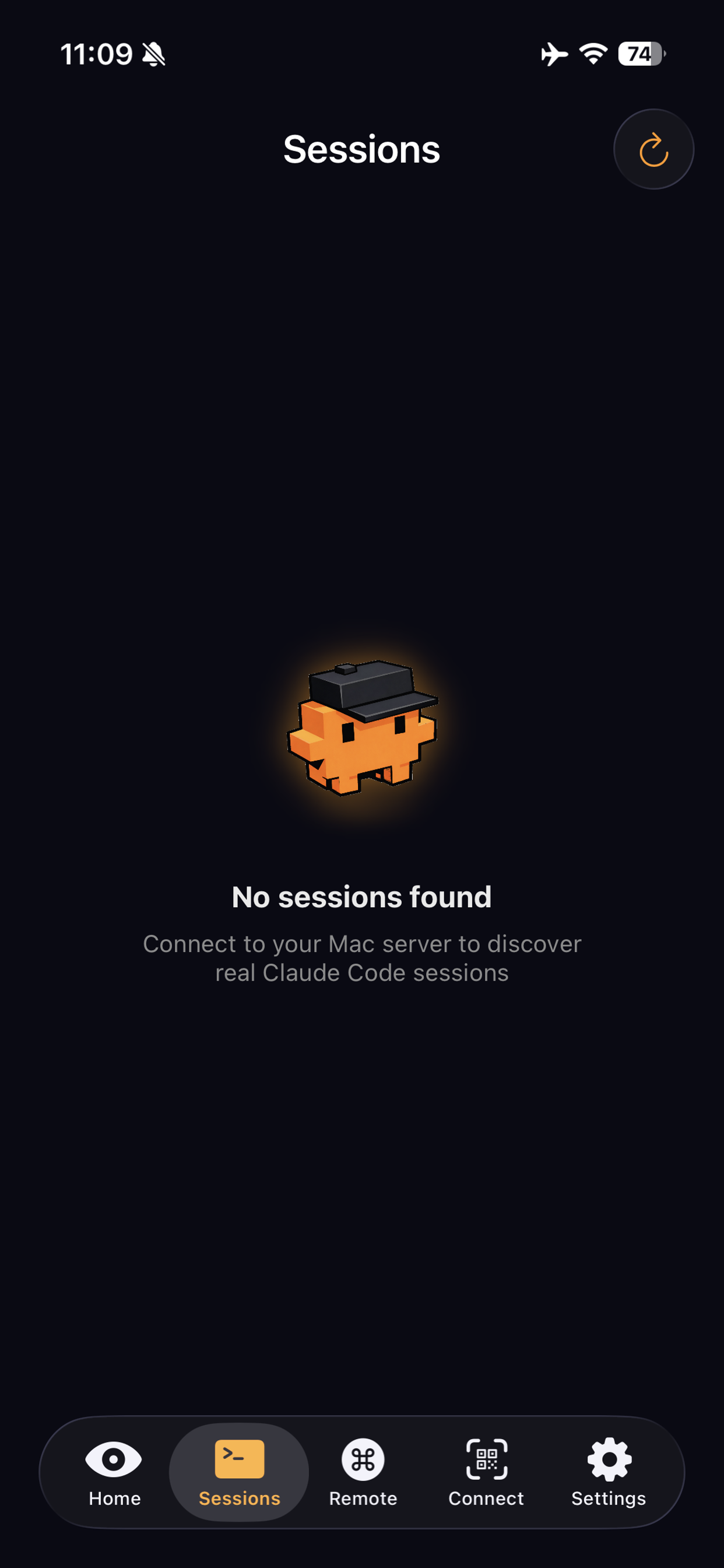
ClaudeWatch Sessions
0ms Local latency
100% Private, no cloud
WiFi Direct connection
iOS 17+ Required

Everything you need at hand

Built for developers who use Claude Code. A direct local connection, no cloud servers involved.

$ monitor

Real-time monitoring

Watch Claude Code output directly on your iPhone. Every terminal line, synced instantly.

$ notify

Smart notifications

Get alerts when a task finishes, when Claude waits for your response, or when an error occurs.

$ island

Dynamic Island

Active session tracking in the Dynamic Island on iPhone 14 Pro and later. Always visible.

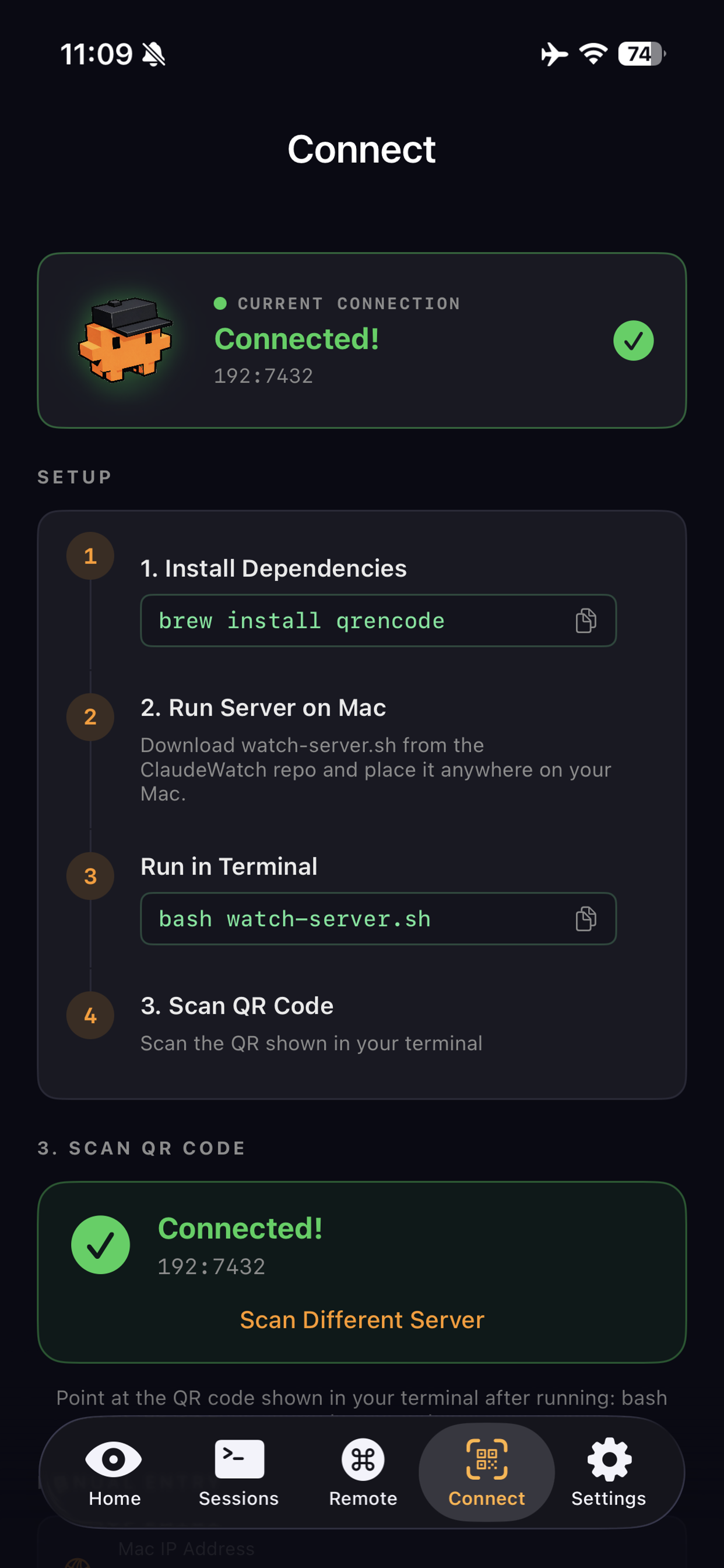
$ pair --qr

QR pairing

Scan the QR code on your Mac to pair in seconds. No complex setup required.

$ discover

Bonjour auto-discovery

Your iPhone automatically finds the server on your Mac using Bonjour, just like AirDrop.

$ secure

No account. No cloud.

Direct local connection over WiFi. Your data never leaves your network.

See it in action

Remote Control screen

// Remote Terminal

Connect / Pairing screen

// Connect & Pair

Sessions screen

// Active Sessions

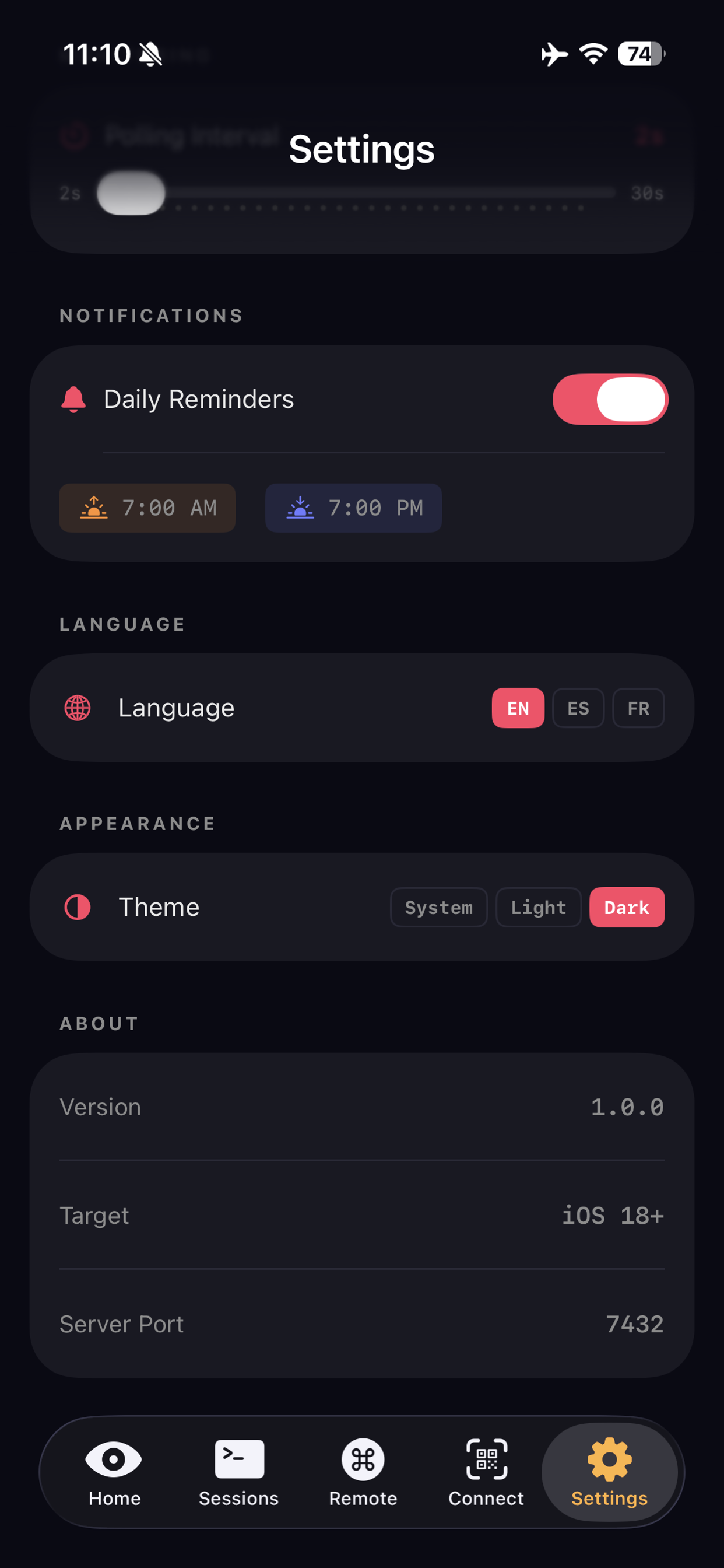
Settings screen

// Settings

Up and running in 3 steps

No server config, no accounts, no VPN. Just local WiFi.

01

Install the server on your Mac

A single command installs the lightweight background server on your Mac.

terminal
$ curl -fsSL https://claudewatch-web.vercel.app/install.sh | bash
02

Run the link command

After installing, run ~/Library/ClaudeWatch/claudewatch link on your Mac. It opens the pairing page with QR and manual host / port / token fallback.

Connected! 192.168.1.x:7432
03

Monitor from your iPhone

Your iPhone connects to your Mac over local WiFi. View active sessions, get notifications, and control Claude Code.

claudewatch-web — RUNNING
iOS-app build — WAITING
redesign — COMPLETE
privacy --audit

Your privacy, our priority

ClaudeWatch runs entirely on your local network. No cloud server exists.

LOCAL_WIFI_ONLY Connection only over your local network
NO_CLOUD No cloud servers, no remote storage
NO_ACCOUNT No sign-up, no registration required
NO_ANALYTICS Zero tracking or analytics
CAMERA_QR_ONLY Camera used only for QR scanning
OPEN_SOURCE Code is open and auditable

Start Free, Go Pro

Try ClaudeWatch free for 5 days. Then choose the plan that works for you.

Monthly

$1.99/mo
  • All Pro features
  • Cancel anytime
  • Full monitoring access
Start Free Trial
Forever

Lifetime

$49.99

One-time payment

  • All Pro features
  • No renewals ever
  • Full monitoring access
  • Lifetime updates
Start Free Trial

5-day free trial for all plans. No credit card required to start.

Descarga ClaudeWatch
en segundos.

Apunta la camara de tu iPhone al codigo QR y se abre directamente en el App Store. Sin buscar. Sin escribir.

01 Abre la camara de tu iPhone
02 Apuntala al codigo QR
03 Toca la notificacion y abre el App Store
Descargar en App Store
camera.scan → App Store

ClaudeWatch · iPhone